Sangam
Sangam is a Mac, iPad, and iPhone client for Jitsi meetings. It speaks to a Jitsi server directly — XMPP signaling and WebRTC media, written in Swift — rather than loading the Jitsi Meet web app inside a web view. The video fills the window and the controls are a native toolbar along the bottom.
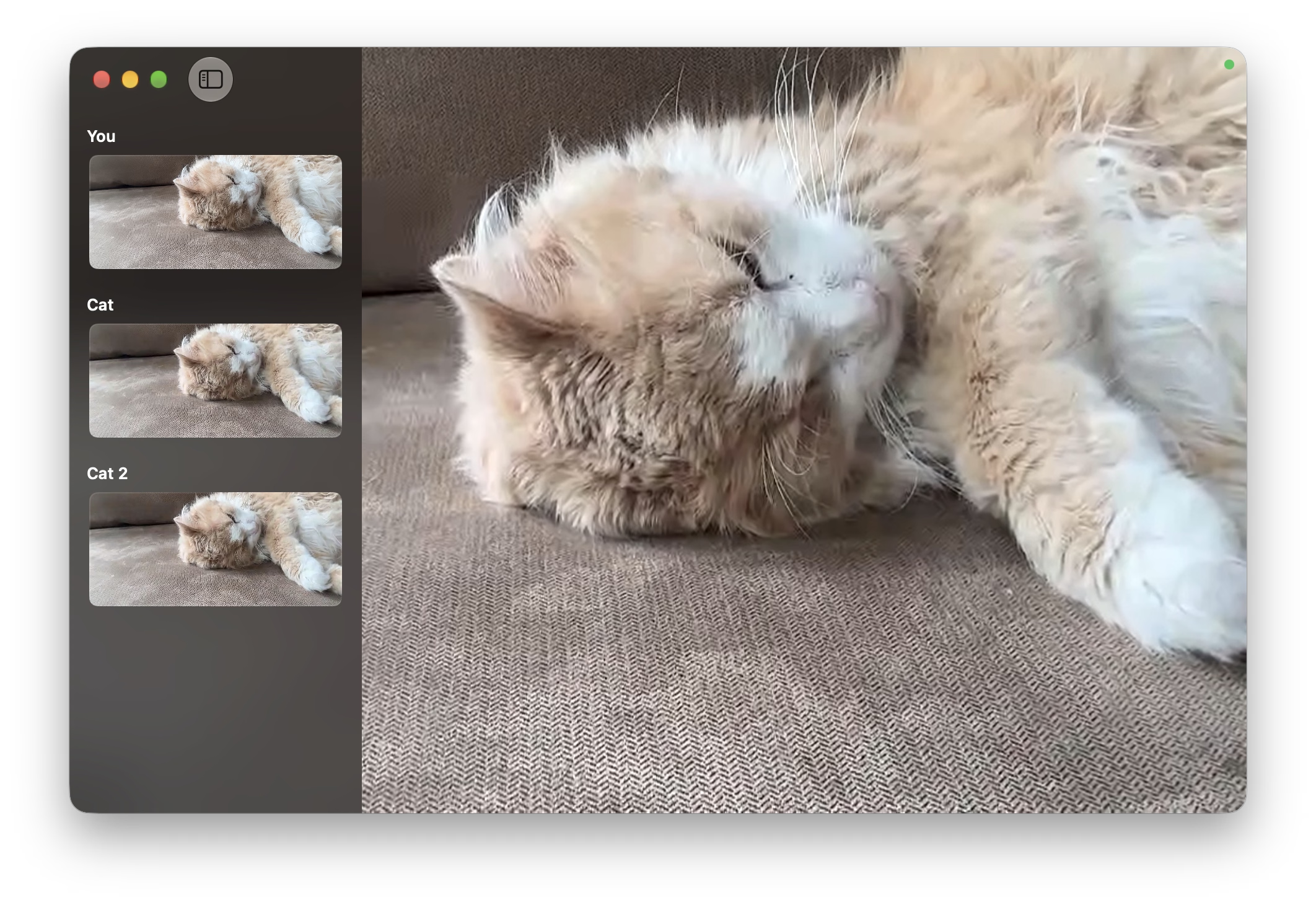
Sangam is still in development. It runs meetings against a Jitsi deployment today, but reconnect behaviour and compatibility across server versions are unfinished, and there is no App Store release yet. The list below is what works now, not what is planned.
Joining
- Server, room, and name are one form; a meeting link pasted into either the server or the room field splits into its parts
- Rooms that ask for a meeting password or a moderator log-in present both on the waiting screen as a single form
- A room that needs a host waits for one by default, rather than opening on a log-in prompt; signing in as the moderator is the secondary path on the same screen
- Token authentication, so
meet.jit.siSSO sessions and JaaS links work alongside self-hosted servers
In a meeting
- Speaker view or a grid of tiles; right-click a tile to pin it to the stage
- Tiles keep the shape of the feeds they carry rather than stretching to fill the stage: the grid picks the column count that makes the tiles largest, and every row fits without scrolling
- A sidebar listing participants, each with a live feed; double-click one on the Mac to open it in its own window
- Screen sharing — a display or a single window on the Mac, the whole device on iPhone and iPad
- Chat, with a count on the button for anything that arrived while it was closed
- Reactions, raise hand, and polls, with reactions and hands shown as badges on the tile
- Sounds for joins, leaves, and reactions
- The mute button doubles as an input meter: the microphone symbol fills in proportion to the level WebRTC is actually sending, so it is visible at a glance that the room can hear you
- Per-tile connection indicators taken from inbound RTP statistics
- Incoming video quality is a setting (180p, 360p, 720p, 1080p) rather than something inferred from the window size
- Full quality is requested only for feeds shown large — the stage tile, grid tiles, and feeds floated into their own windows — so a sidebar of participants costs thumbnails rather than a decode each
- Background blur on the outgoing camera, using Apple's own segmentation
- Camera picker on the video button, and camera changes mid-meeting do not end the call
- The sidebar and chat either float over the video or push it aside, whichever you prefer
- Jitsi Meet's bare-key shortcuts — M, V, D, R, C, W — disabled while the chat field has focus
- The toolbar drops less-used buttons into a More menu as the window narrows
Notes and transcription on the Mac
Notes in the meeting controls opens a Markdown document beside the video: a title, the participants, a summary carrying the action list, your own notes, and the transcript as timestamped Name: turns. Apple's on-device models write it, and none of it leaves the Mac.
- Calls transcribe themselves from the first join; Transcribe starts and stops it by hand instead, and either way the sidebar reports what the recognizer is doing
- A dozen languages to choose from, starting at the Mac's own, with the speech model fetched on first use
- Each participant's audio is recognized as its own stream, so turns carry names instead of arriving as one merged transcript — up to eight remote speakers at a time, plus you
- Words still settling are shown in gray and become editable once recognition finalizes them; completed turns stay editable while new speech arrives
- The title, summary, and actions are generated as the call goes on and keep revising afterwards while the transcript is corrected; edit either field and the model stops replacing it
- Audio is never written to disk, and the document is memory-only until you save it as a plain
.mdfile - Hangup leaves the document for review; closing, quitting, or joining another meeting asks to save or discard first — unless nothing was ever opened, edited, or saved, which leaves without a prompt
The summary is generated text. Only commitments with a supporting quotation become actions, but owners, dates, and decisions are still worth reading before anyone relies on them.
Closed captions
The last line or two of the transcript is captioned over the video as the meeting runs, so the room can be followed without the sidebar open. Also macOS, and part of the same transcription.
- Each line is labelled with who is speaking, newest at the bottom: new speech pushes the block up
- A line stays lit for five seconds after the words on it were spoken and then fades over a second, so the captions clear themselves once the room goes quiet; someone still talking keeps their line alive as words are added
- Your own speech is left out — it is in the transcript, but reading your own words back over the video is noise — and when more people overlap than there are lines, the most recent speakers are the ones shown
- Lines come from the document rather than from recognition directly, so they follow corrections and disappear along with a deleted turn
- Show captions over the video hides them without stopping transcription; an open sidebar covers them
Hosting and moderation
- Lobby support: knock and wait to be admitted, or, as a moderator, see who is knocking at the top of the participant list with admit and deny on each row — the sidebar toggle carries a dot while anyone is waiting
- Turn the waiting room on and off, and set or clear a meeting password
- Remote mute, and audio/video moderation where participants ask before unmuting
- Make someone else a moderator, or remove them from the meeting
- Breakout rooms: create them, move people between them, join and remove them
- Speaker stats — floor time per participant, during the meeting and after
- An invite link to copy or share
Apple platform integration
- iOS: the meeting is a system call through CallKit, with a Live Activity showing the room, elapsed time, and mute state on the lock screen and in the Dynamic Island
- macOS: a menu bar item with microphone, camera, and hangup while a meeting is running
- Picture in Picture on both platforms
- Join a room, toggle mute, and leave from Siri, Spotlight, and Shortcuts, with recently joined rooms offered as suggestions
sangam:meeting links and Handoff between devices- Notifications for lobby knocks and chat messages when the app is in the background
- Noise suppression through WebRTC's audio processing; on macOS the app points you at the system's Voice Isolation microphone mode instead of claiming its own
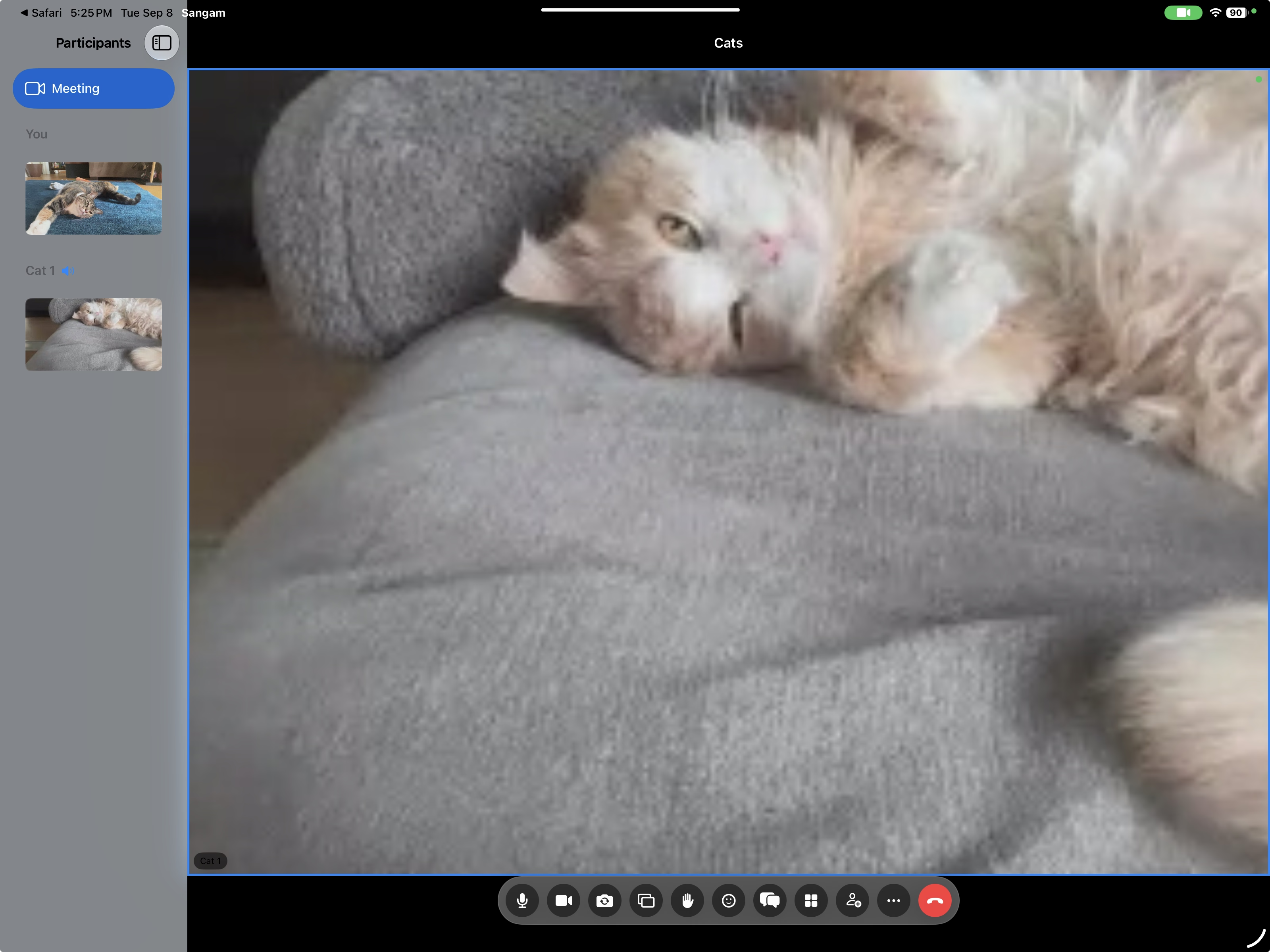
iPad
The same meeting runs on iPad. The participant roster with its live feeds slides in beside the stage, and the controls gather into a pill along the bottom.
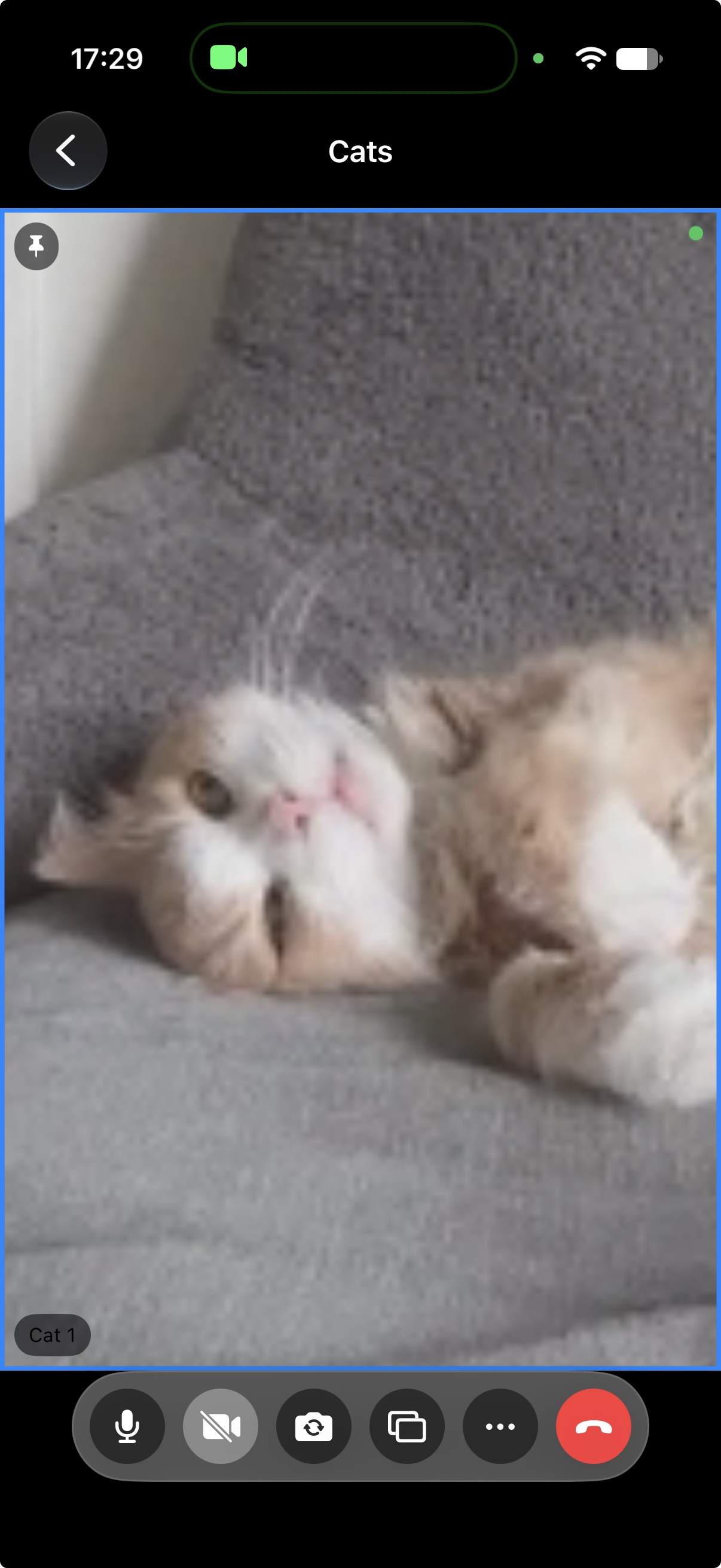
iPhone
It fits on iPhone, too. The video fills the screen, the toolbar keeps microphone, camera, camera switch, screen share, and hangup while the rest moves into the More menu, and the meeting shows in the Dynamic Island as the system call it is.
How it is built
- One Swift package implements the client side of the Jitsi protocol: XMPP over WebSocket, SASL and JWT authentication, MUC presence and source metadata, Jingle session negotiation, and the Colibri bridge channel
- The bridge channel runs over a WebSocket where the deployment offers one and over SCTP where it does not, so video arrives either way
- SSRC rewriting is advertised by default: the bridge keeps a fixed set of receive slots and re-points them as the forwarded speakers change, and source lifecycle then arrives through bridge source maps and presence rather than through Jingle
- Outgoing video is sent as three simulcast layers with matching RTX streams
- Native WebRTC and Metal rendering throughout — no WebKit, Chromium, or React Native anywhere in the meeting path
- Transcription reads decoded audio per remote track through WebRTC's native interface, since the pinned binary does not expose PCM to Swift; the callback only copies into a fixed ring, and recognition happens well away from it
- The same code runs on all three platforms; AppKit and UIKit supply only the platform surfaces
Requirements
macOS 14 or later on an Apple Silicon Mac, or iOS 17 or later. Notes, transcription, and captions are macOS only: the notes themselves work on macOS 14, while transcription and captions need macOS 26 and its on-device speech models, and the generated title, summary, and actions additionally need Apple Intelligence turned on. Sangam needs a Jitsi server to connect to; it is developed against a self-hosted deployment, and other servers or older releases may not work.