Horizontal

Horizontal is a work in progress. It is not finished software and should not be used for production work. Keep backups of anything you open with it.
Horizontal is a PCB design tool for macOS, iPadOS, and iOS. It opens .hprj and .horizontal projects and shows the schematic and the board.
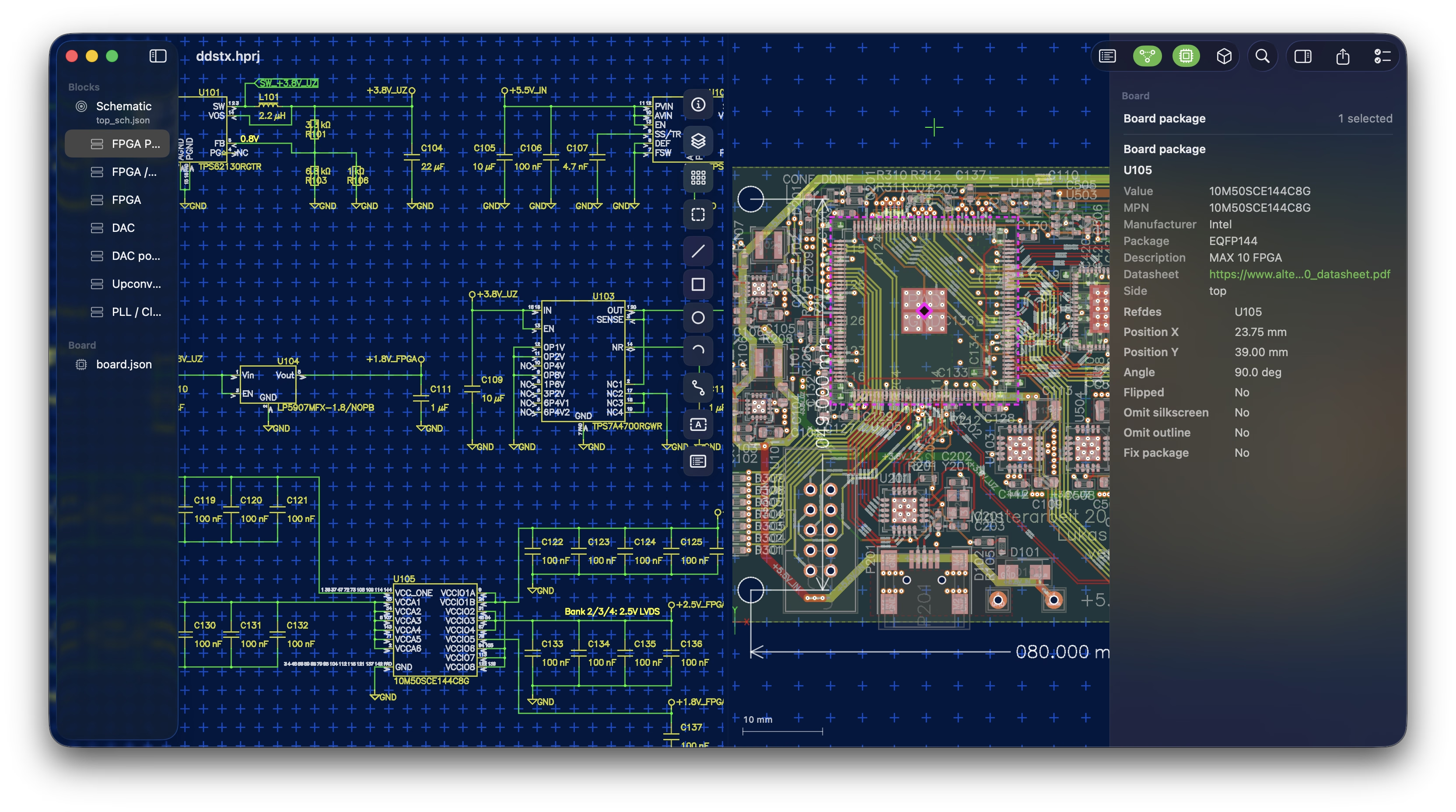
Released versions are read-only and will not write project files. The drawing tools change what is on screen, but nothing is saved back to disk.
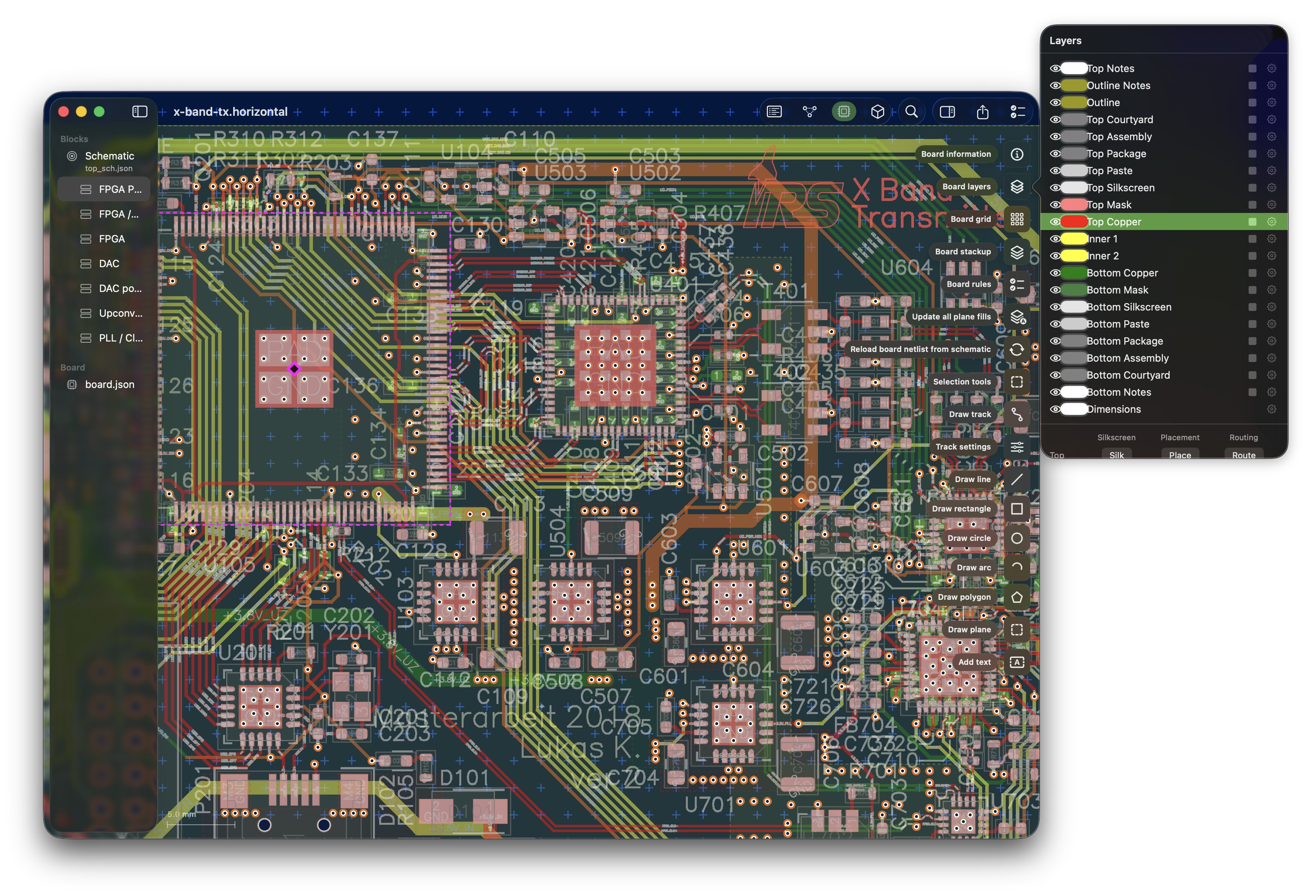
Board
View board and schematic simultaneously. Highlight nets to aid debugging
Schematic
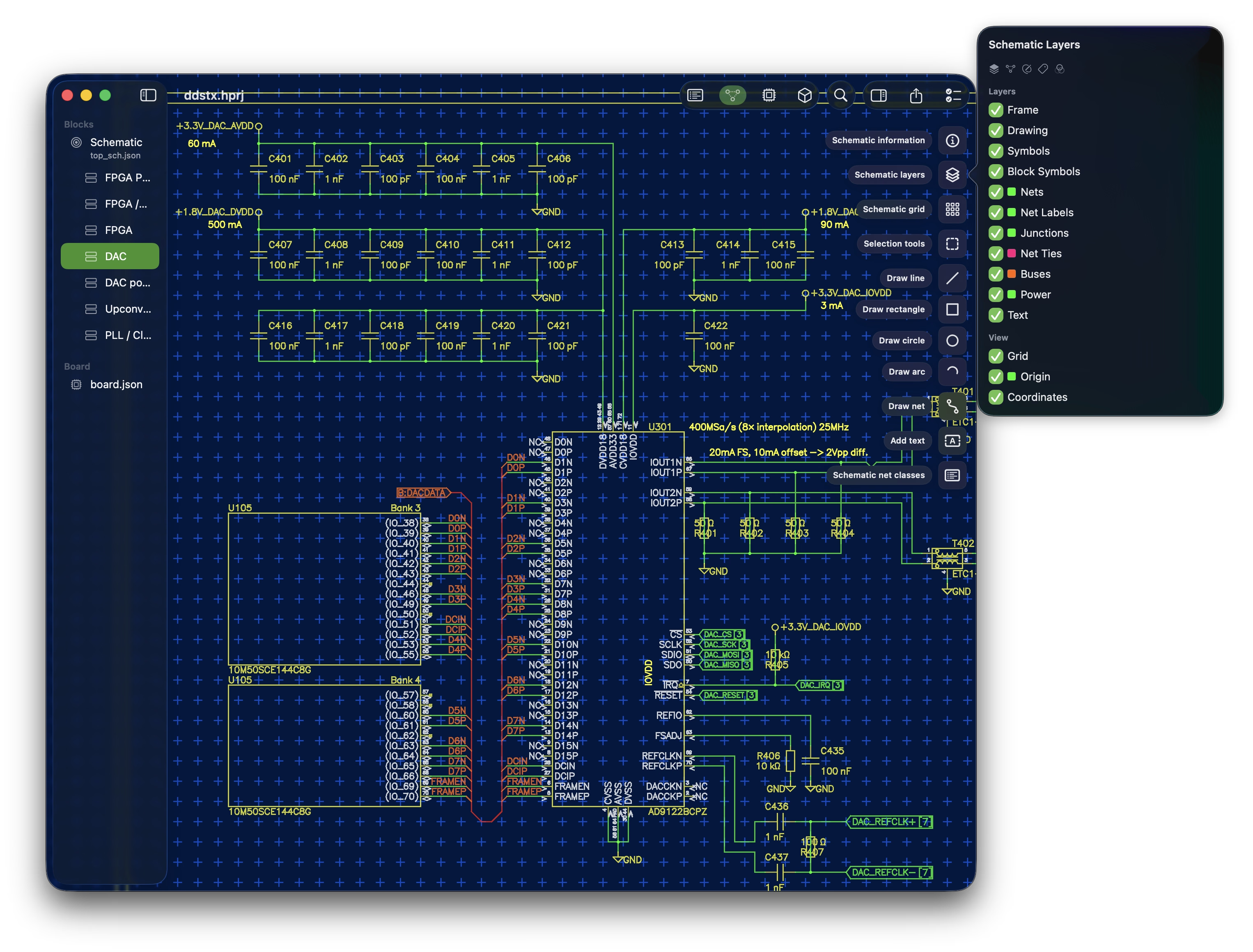
Blocks and sheets are listed in the sidebar. Nets, buses, junctions, net ties, and labels each have their own layer that can be turned off.
On macOS, Quick Look previews and Finder thumbnails let you look at a project without opening it.
Voice control
Press the microphone in the toolbar (or Listen for a Command, ⌥⌘L, on the Mac) and talk to the design. Speech is transcribed on the device by Apple's Speech framework, and nothing you say leaves the machine. Before it listens, Horizontal hands the recognizer every reference designator and net name in the open project, so it knows "C123" and "GND_ANALOG" are words before it hears them — which is why the design's names are heard by the app itself rather than by Siri. This is in the current source, not yet in the App Store release.
What you can say:
- Highlight, select, zoom to a component or net, named any way it comes out: "highlight C123", "highlight capacitor 123", "zoom to R 18", "select the ground net". A kind alone is all of it — "highlight the capacitors" — and a net is matched the way people say it: "3.3 volts" is 3V3, "plus 5 volts" is P5V, "DAC chip select" is DAC_CS.
- Several at once: "zoom to C48, C49 and C50" frames the three together, and "highlight the nets between C48 and C50" or "what connects them" lights every net with a pin on at least two of the parts named.
- The conversation remembers. After "highlight C50", "zoom", "zoom to fit" or "select it" mean C50, and a bare "R12" repeats the last verb on R12. With nothing named yet, "zoom to fit" fits the whole view.
- Zoom is every view. "Zoom to C50" frames it in the schematic on its sheet, on the board, and in the 3D view, where the camera moves to the part; so is highlight, which marks the part red in 3D as well as on the canvases. "Zoom in", "zoom out", "zoom way out".
- Panes, sheets and layers: "show the board", "show 3D", "show both", "hide the 3D view", "sheet 3", "the ADC sheet", "next sheet", "show the top layer", "top silkscreen", "bottom routing", "all layers", "copper only". "Show the bottom" turns the board over — the placement view of that side, mirrored — and framing a part on the far side of a sided view turns the board over to it.
- Clear the highlight, clear the selection, undo, redo.
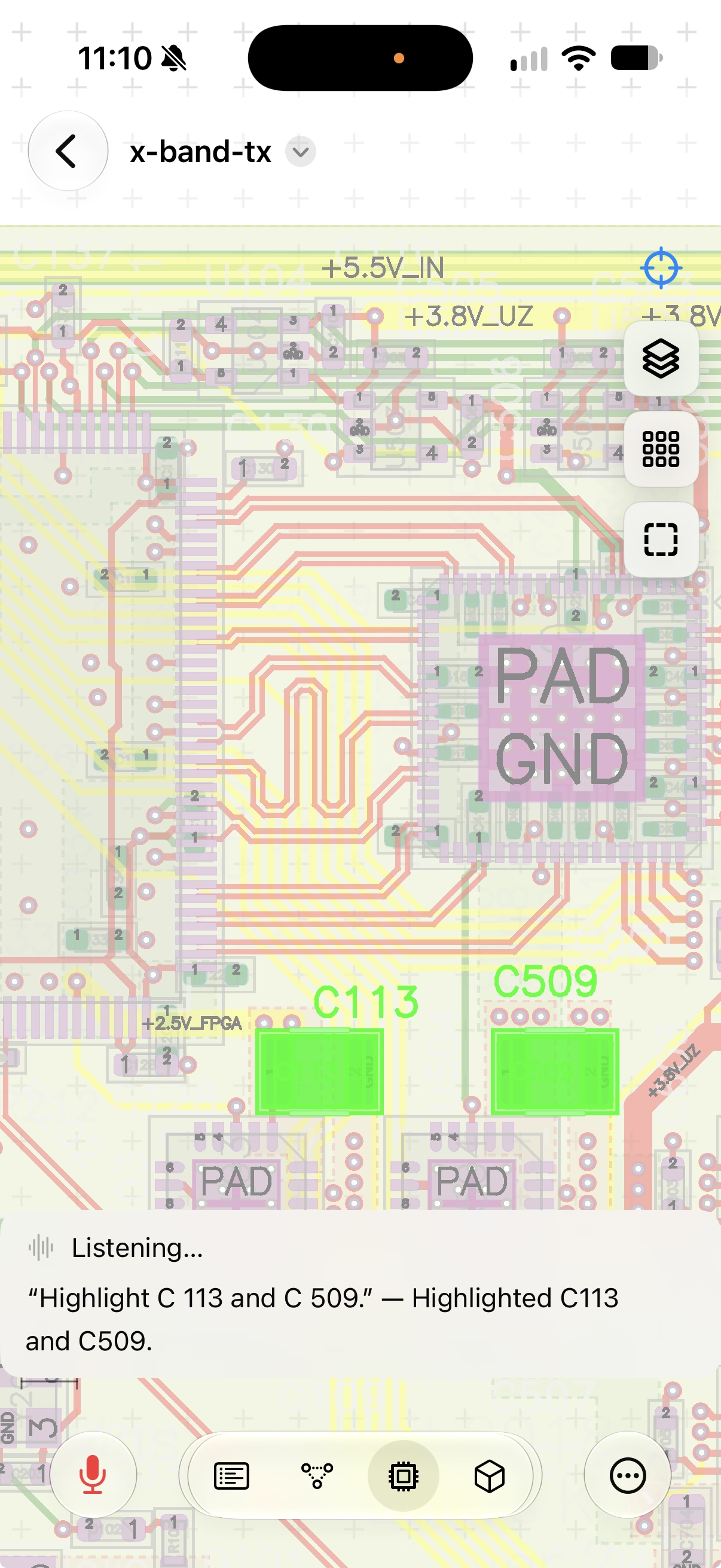
Transcription pads a request with words that were not said, so "zoom to xyz C 50" still finds C50; a verb is understood in any form it comes out ("highlights C113", "selected R12", "went to U3"), and a word in the way between the verb and the name ("highlight what C113", "zoom to, um, U3") is passed over. A pause after the verb is fine too: "highlight what", then "C113", is one request. When several things match, Horizontal reads them back ("123 could be C123, R123") rather than guessing, and a name nobody has is said back with its kind ("there is no capacitor 7 in this project"). The transcript and each outcome appear over the canvas as it listens.
Siri keeps three general requests that need nothing published: "show the board in Horizontal" (or the schematic, 3D, and any combination), "start listening in Horizontal", which opens the app and turns its own microphone on, and "stop listening in Horizontal".
Selection is one thing in every view: click a part on the board, on its symbol in the schematic, or on its model in the 3D view, and it is selected in all three.
iPhone
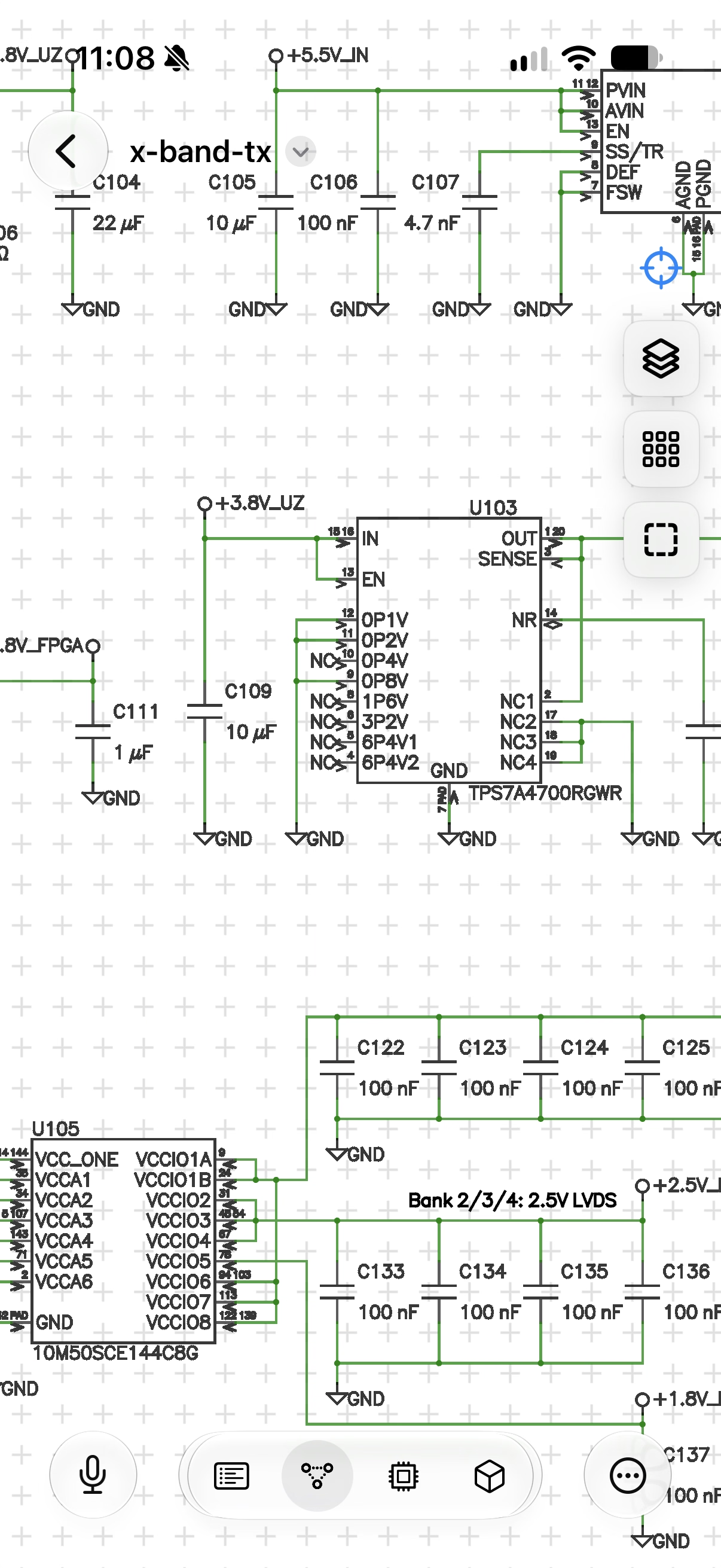
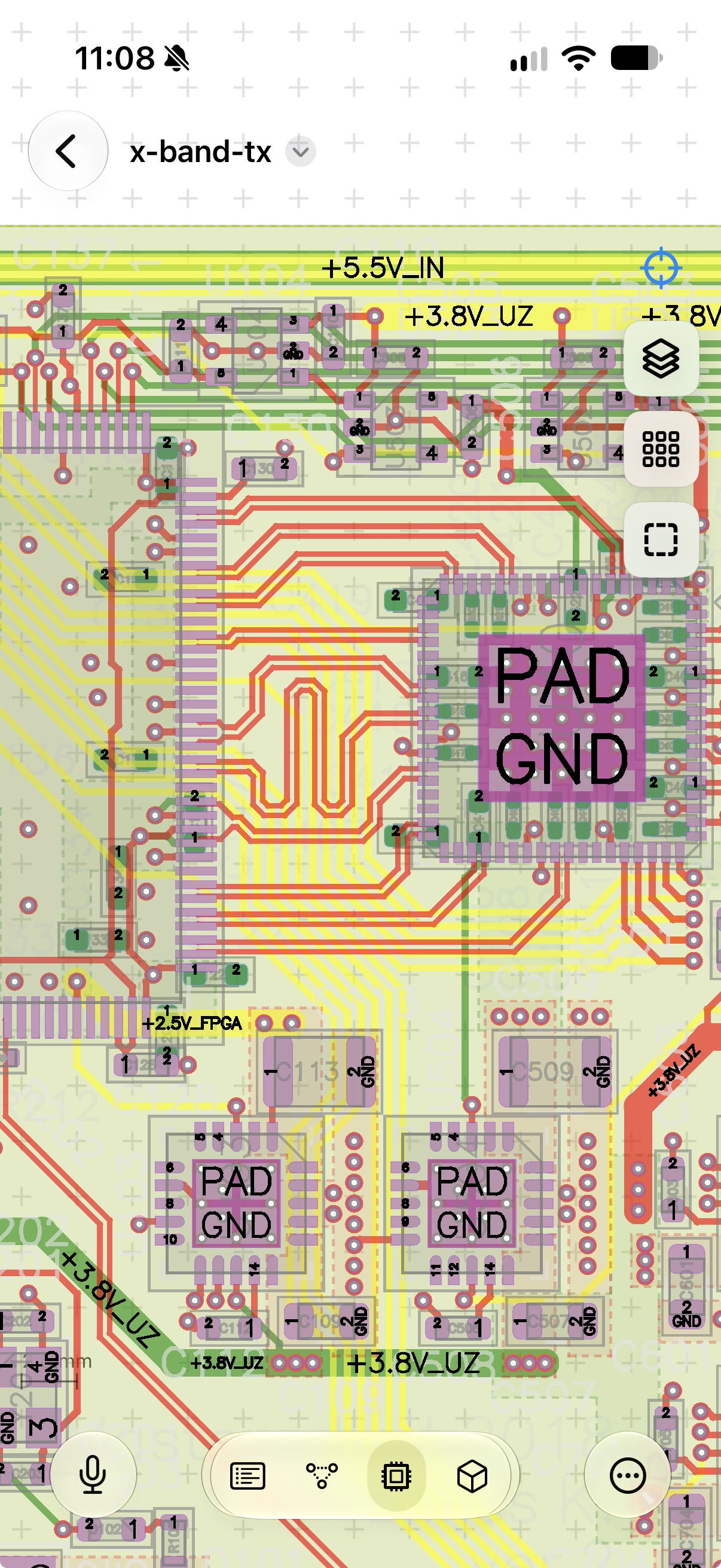
The same project opens on iPhone. The toolbar along the bottom switches between the sheet list, the schematic, the board, and the 3D view, with the microphone at its left, and the layer, grid, and fit controls sit over the canvas. Say "highlight C113 and C509" and both parts light up on the board, with the transcript and what came of it shown beneath.
Support
Please discuss and register issues on GitHub.