Wye
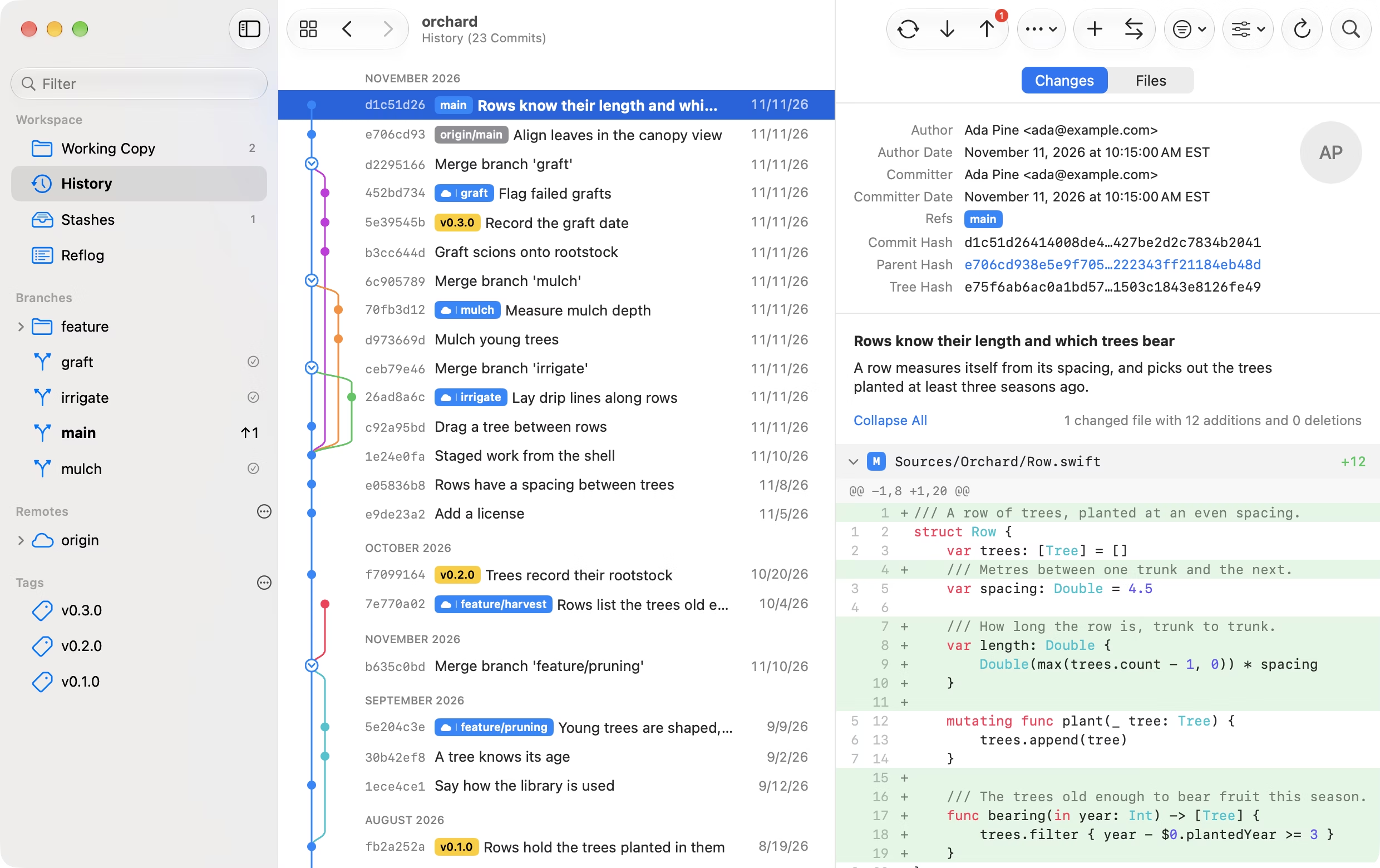
Wye is a git client for Mac, iPad, and iPhone. It shows a repository's history as a graph, stages and commits changes down to single lines, and fetches, pulls, and pushes over HTTPS and SSH. It is free and open source.
Wye does not run the git command. It reads and writes repositories itself, through libgit2, so it works inside the App Store sandbox and on iPhone and iPad, where there is no command line to call. It does not run hooks, and it never reads ~/.gitconfig or ~/.ssh: its settings are its own, and keys and tokens are kept in the Keychain.
History
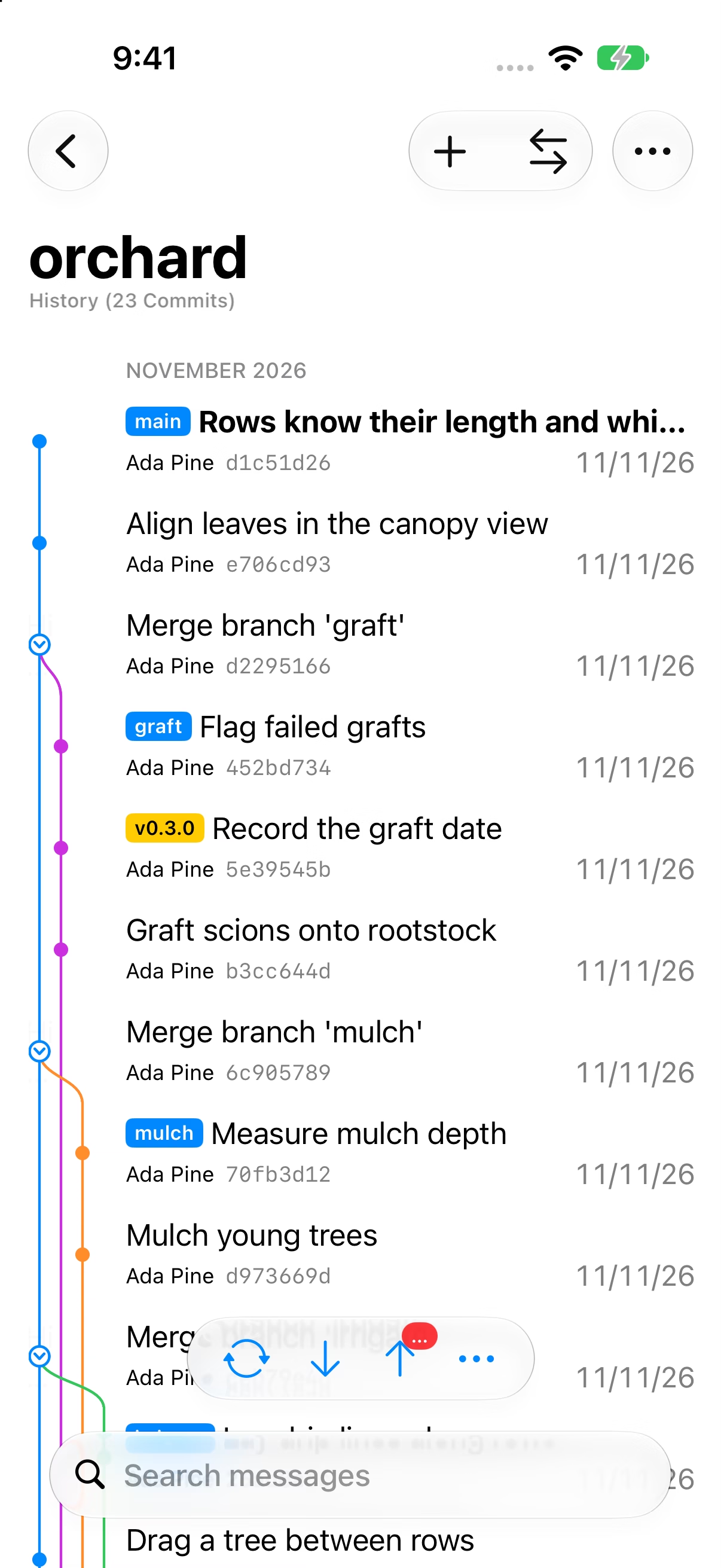
- The graph lists each branch's commits together under the merge that brought them in, and a branch keeps its lane and color down to the commit it started from. A merge's dot is a disclosure control: click it to fold the merged commits away.
- The checked-out commit is bold. A local branch level with its remote branch shows as one badge with a cloud.
- Search by message, author, hash, or changed path, and filter by date, author, or branch
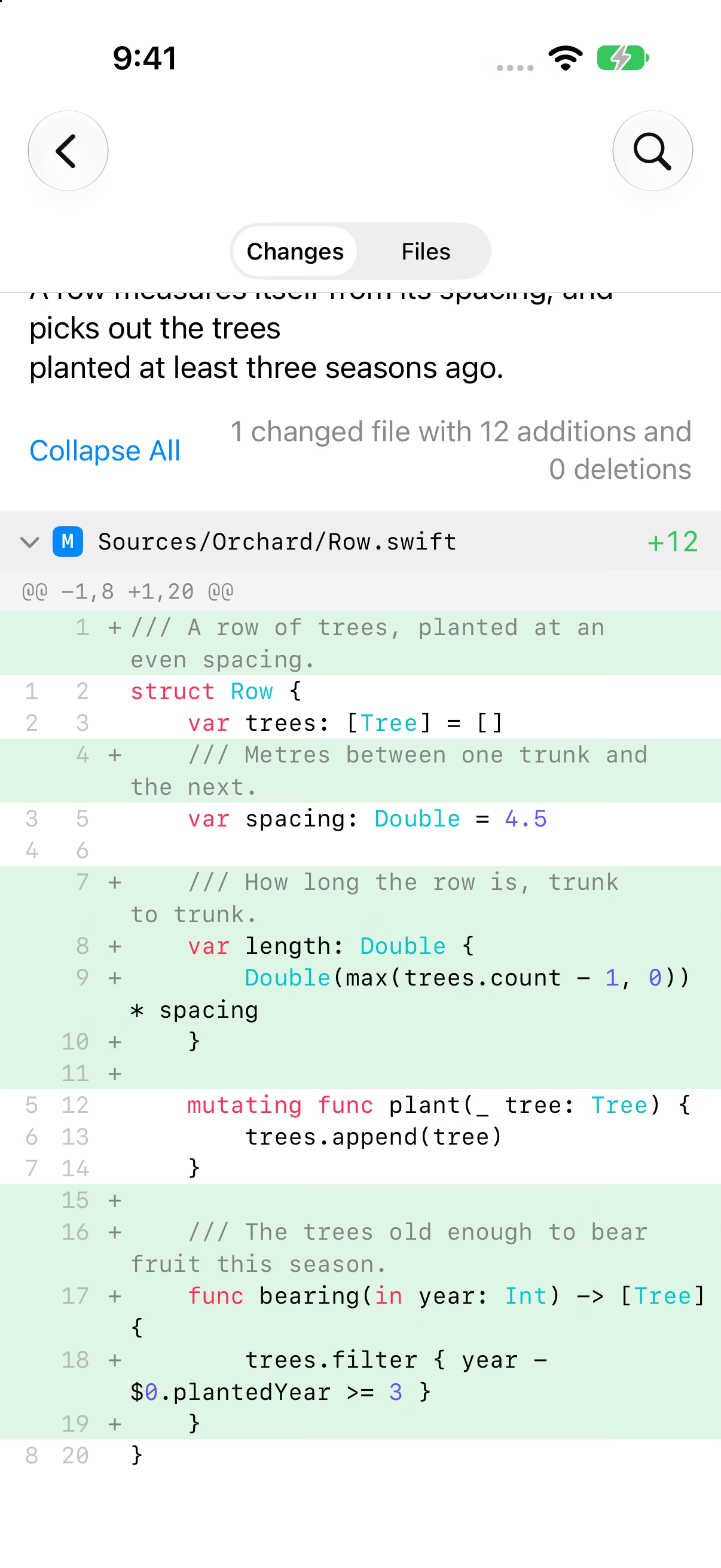
- A commit shows its changes or its whole file tree. Blame, the history of one file, and a comparison of any two commits or branches are a click away.
- Diffs are syntax colored for about twenty languages. Images are compared side by side, by swiping, or as an onion skin.
- Drag a commit onto a branch to cherry-pick it, or one branch onto another to merge or rebase. Every drop asks before it acts.
- Notes, clickable issue references, and the reflog
Working copy
Write the message at the top, with the changed files beneath it and the selected file's diff beside them.
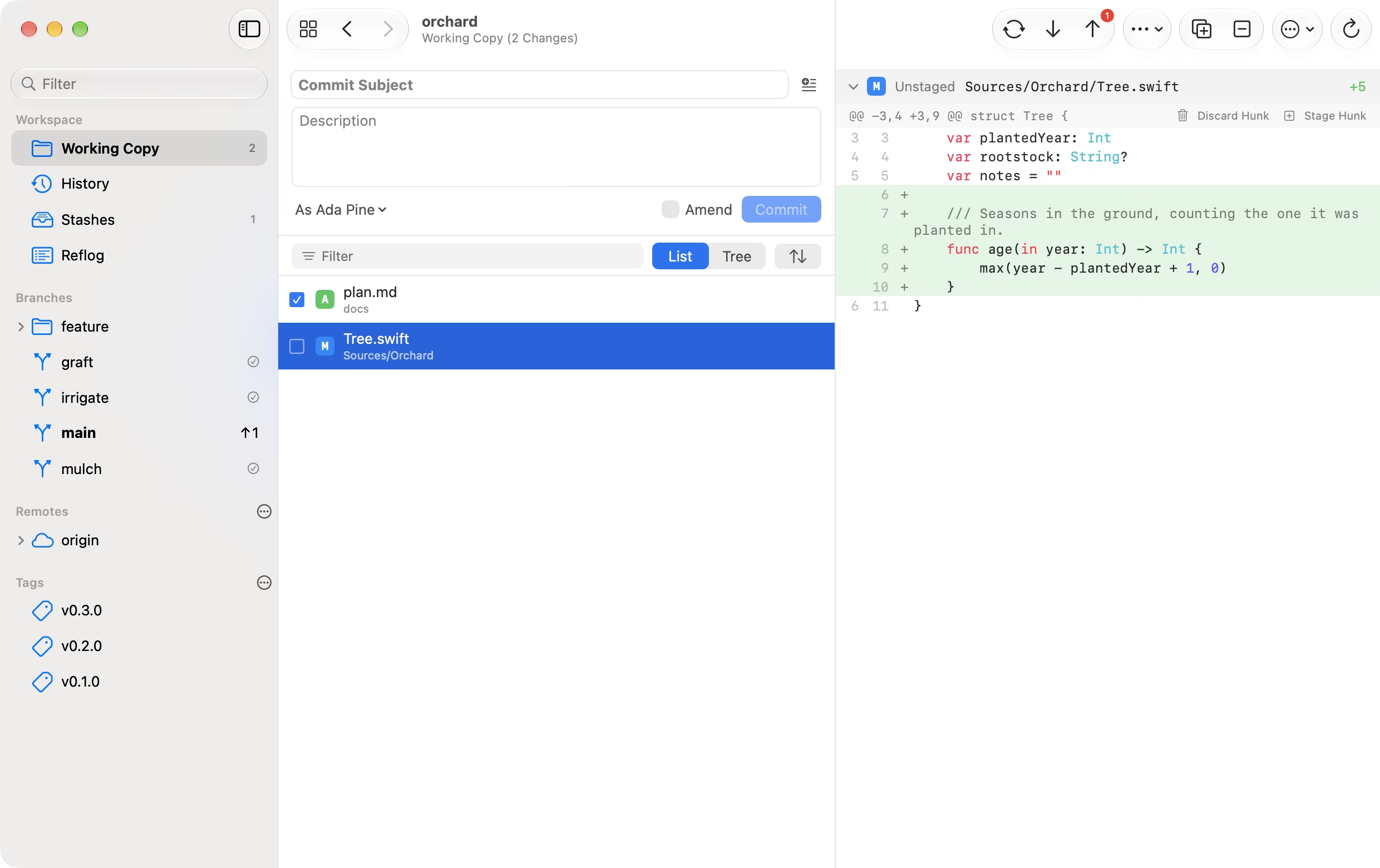
- Stage or discard a file, a hunk, or the lines you select
- Stash everything, selected files, or selected lines
- Amend the last commit, or make a fixup aimed at an earlier one
- The message completes file names, people, and issue numbers as you type
- Save changes as a patch, or apply one
- Commit as any of several identities, signed with an SSH key if you like. Commits signed by others show whether the signature verifies.
- Most actions can be undone with ⌘Z, including commits, merges, and discards
Branching
- Merge, rebase, cherry-pick, revert, and reset. The merge, rebase, and pull sheets say beforehand whether there will be conflicts, and in which files.
- Interactive rebase: reorder, squash, fix up, reword, and drop commits. Edit an older commit's message or author.
- Conflicts open in a three-way view that shows both sides and the result, and lets you take either side, both, or type your own
- Pin the branches you use and archive the ones you don't. Merged and stale branches are marked.
- Submodules and worktrees
Remotes
- Fetch, pull, and push over HTTPS and SSH, with progress and a cancel button. A force push refuses if the remote moved since your last fetch.
- SSH keys are made in the app or imported, and kept in the Keychain. Ed25519 and ECDSA keys work; RSA keys do not.
- Sign in to GitHub, GitLab, Bitbucket, Gitea, or Forgejo to clone from your account, publish a new repository, and read, create, check out, and merge pull requests
- A new tag can be pushed to every remote as it is made, and a push takes tags along
- Fetch in the background on a schedule, with a notification when new commits arrive
iPad
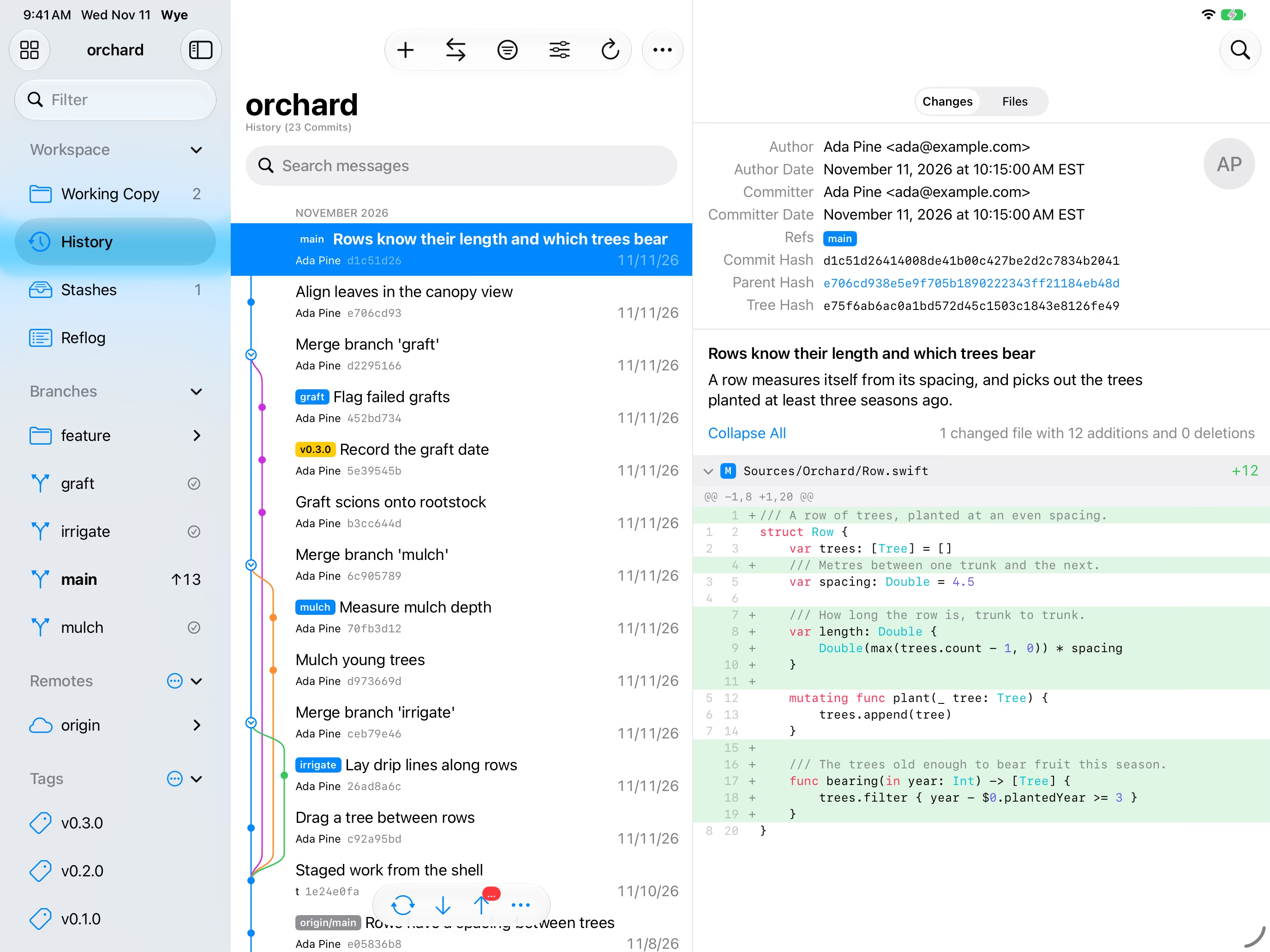
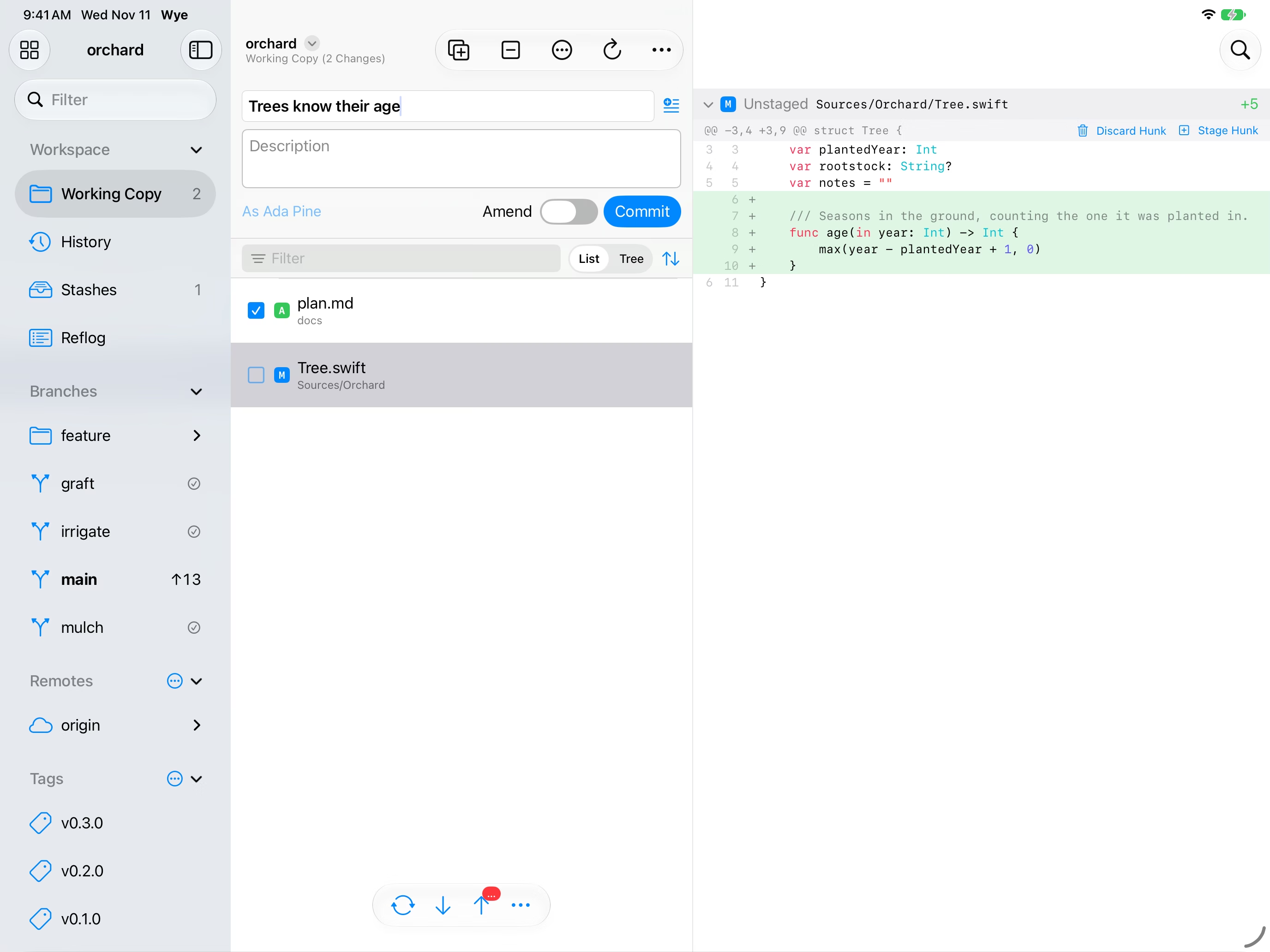
The same three columns, with the same menus on a long press.
iPhone
On iPhone the columns become a stack: the repository's sections, then the list, then the commit or file.
On iPhone and iPad, Wye is also a location in the Files app. Each repository there is a folder that a text editor or any other app can open and edit in place, and Wye sees the changes. The .git folder is hidden from other apps.
Around the system
- Quick open (⇧⌘O) jumps to a repository, branch, or tag, or runs a command
- Tabs and windows on the Mac, with back and forward through what you have looked at
- Watched folders: point Wye at a folder of repositories and its list follows as they come and go
- Siri and Shortcuts: "Pull Orchard in Wye", and actions to fetch, push, and read a repository's status
- A widget listing the repositories with unpushed work
- Clone links: share a repository's address to Wye, or open a
wye://clonelink
Not there yet
- Git LFS
- RSA keys for SSH, and signing or verifying with GPG
- Comments on individual lines of a pull request
- Languages other than English
Support
Wye is licensed under Apache 2.0. Please discuss and register issues on GitHub.